Skip to content
LATI
  • About us
        • Our identity

        • Our Identity: Benefit in our DNA
        • Our Values
        • Annual report
        • Our Network
        • Where is LATI Located?
        • Innovation and quality

        • Research & Technology
        • Our Digital Factory
        • QHSE
        • System Certifications
        • Sustainability
        • People at the center

        • People, like You
        • Gender Equality
        • Code of Ethics and Whistleblowing
        • Social Impact
        • Work with Us
  • Compounds
        • Reference solutions

        • Flame-retardant
        • Reinforced
        • Self-lubricating
        • Replace metal

        • Structural
        • Electrically conductive
        • Special loads

        • Detectable
        • Radiopaque
        • Controlled Density
        • Temperature and heat management

        • High-temperature
        • Thermally Conductive
        • New technologies and sustainability

        • 3D Printable
        • Bio-based
        • Recycled-based
        • Do you need some help?

        • Materials Database
        • Product Certifications
        • Contact Us
  • Services
        • Development of custom, high-quality materials

        • Research & Technology
        • Quality Control
        • Technical support for design and production

        • Technical Support for Application Development
        • FEM Simulations and Co-Design
        • Molding technical assistance
        • Capabilities, documentation, and sustainability

        • Technical Training
        • Documentary Support and Sustainability Analysis
  • Industries
        • Sectors and applications

        • Automotive & Transport
        • Electrical & Electronic
        • Home Appliances & other Consumer Goods
        • Industry
        • Construction & Building
        • Additive Manufacturing & 3d Printing
        • Product certifications

        • Railway Sector
        • Food Contact
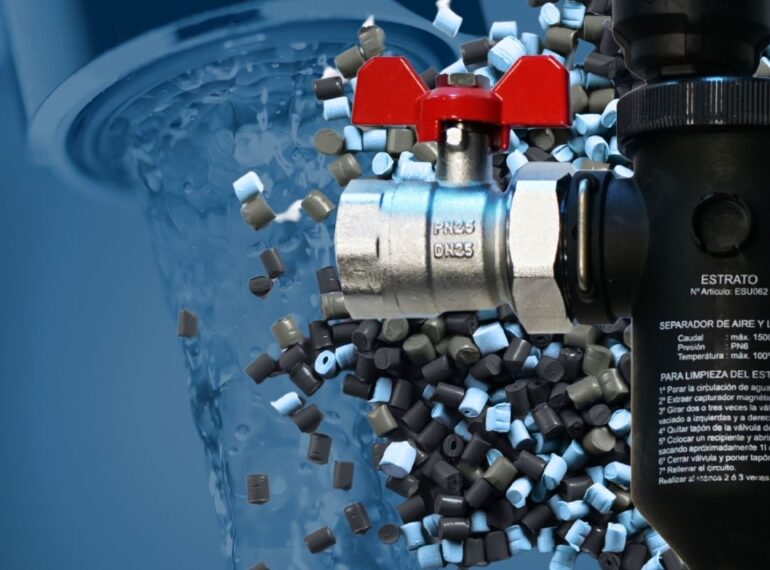
        • Drinking Water Transport
        • VDE
        • UL
        • UL Insulation Systems
        • Auto elettrica con compound LATI, industria Emobility
  • Sustainability
        • The Sustainability Strategy
        • Environmental Impact
        • Social Impact
        • Economic and Production Activities Impact
  • News
        • News
        • Webinar
        • Events
        • Press Releases
  • Download
  • Product Certifications
  • Webinar
  • Work with Us
  • English
    • Italiano
Contacts
LATI Materials Database | LATI3Dlab
  • Download
  • Product Certifications
  • Technical notes
  • Webinar
  • Work with Us
LATI
  • About us
        • Our identity

        • Our Identity: Benefit in our DNA
        • Our Values
        • Annual report
        • Our Network
        • Where is LATI Located?
        • Innovation and quality

        • Research & Technology
        • Our Digital Factory
        • QHSE
        • System Certifications
        • Sustainability
        • People at the center

        • People, like You
        • Gender Equality
        • Code of Ethics and Whistleblowing
        • Social Impact
        • Work with Us
  • Compounds
        • Reference solutions

        • Flame-retardant
        • Reinforced
        • Self-lubricating
        • Replace metal

        • Structural
        • Electrically conductive
        • Special loads

        • Detectable
        • Radiopaque
        • Controlled Density
        • Temperature and heat management

        • High-temperature
        • Thermally Conductive
        • New technologies and sustainability

        • 3D Printable
        • Bio-based
        • Recycled-based
        • Do you need some help?

        • Materials Database
        • Product Certifications
        • Contact Us
  • Services
        • Development of custom, high-quality materials

        • Research & Technology
        • Quality Control
        • Technical support for design and production

        • Technical Support for Application Development
        • FEM Simulations and Co-Design
        • Molding technical assistance
        • Capabilities, documentation, and sustainability

        • Technical Training
        • Documentary Support and Sustainability Analysis
  • Industries
        • Sectors and applications

        • Automotive & Transport
        • Electrical & Electronic
        • Home Appliances & other Consumer Goods
        • Industry
        • Construction & Building
        • Additive Manufacturing & 3d Printing
        • Product certifications

        • Railway Sector
        • Food Contact
        • Drinking Water Transport
        • VDE
        • UL
        • UL Insulation Systems
        • Auto elettrica con compound LATI, industria Emobility
  • Sustainability
        • The Sustainability Strategy
        • Environmental Impact
        • Social Impact
        • Economic and Production Activities Impact
  • News
        • News
        • Webinar
        • Events
        • Press Releases
  • Download
  • Product Certifications
  • Webinar
  • Work with Us
  • English
    • Italiano
Contacts

servizi

3d Printing
AM & 3D Printing, Industries and Applications

Additive Manufacturing & 3d Printing

Construction & Building
Industries and Applications

Construction & Building

Industry
Industries and Applications, Industry

Industry

Home Appliances & other Consumer Goods
Home Appliances & Other Consumer Goods, Industries and Applications

Home Appliances & other Consumer Goods

Electrical & Electronic
Electrical & electronic, Industries and Applications

Electrical & Electronic

Automotive & Transport
Automotive & Transport, Industries and Applications

Automotive & Transport

Documentary Support and Sustainability Analysis
Services

Documentary Support and Sustainability Analysis

Immagine evocativa del servizio di formazione LATI
Services

Technical Training

Immagine evocativa del servizio di assistenza allo stampaggio LATI
Services

Molding technical assistance

Tecnici LATI lavorano al computer
Services

FEM Simulations and Co-Design

1 2
LATI

LATI Industria Termoplastici S.p.A.

Headquarters
Via F. Baracca 7, 21040
Vedano Olona (VA), Italy-

Terms of Use
Terms and Conditions of Sale
Privacy Policy

Shortcuts

  • Our Identity: Benefit in our DNA
  • Code of Ethics and Whistleblowing
  • System Certifications
  • The Sustainability Strategy
  • LATI Thermoplastic Materials: Tailored Innovation for Every Project
  • Our Services
  • Every industry has its challenges. We have our solutions.
  • Product Certifications
  • Material database

Contact LATI

Request Information
Where to find LATI
Work with Us

Phone +39 0332 409111
PEC lati@pec.net

Follow us on LinkedIn
Follow us on YouTube
Subscribe to our newsletter

Company name: LATI Industria Termoplastici S.p.A. | Registered office: Via F. Baracca, 7 – 21040 Vedano Olona (VA), Italy | Tax Code and VAT No.: 00214880122 | SDI: K1L103O | R.E.A.: Varese No. 41557 | Company subject to the management and coordination of SVI Sviluppo Industriale S.p.A. | Registered with the Varese Companies Register | Share capital € 3,818,400 fully paid-up. © Copyright Lati Spa. All Rights Reserved | Made by Weblink
Accessibility
Accessibility modes
Epilepsy Safe Mode
Dampens color and removes blinks
This mode enables people with epilepsy to use the website safely by eliminating the risk of seizures that result from flashing or blinking animations and risky color combinations.
Visually Impaired Mode
Improves website's visuals
This mode adjusts the website for the convenience of users with visual impairments such as Degrading Eyesight, Tunnel Vision, Cataract, Glaucoma, and others.
Cognitive Disability Mode
Helps to focus on specific content
This mode provides different assistive options to help users with cognitive impairments such as Dyslexia, Autism, CVA, and others, to focus on the essential elements of the website more easily.
ADHD Friendly Mode
Reduces distractions and improve focus
This mode helps users with ADHD and Neurodevelopmental disorders to read, browse, and focus on the main website elements more easily while significantly reducing distractions.
Blindness Mode
Allows using the site with your screen-reader
This mode configures the website to be compatible with screen-readers such as JAWS, NVDA, VoiceOver, and TalkBack. A screen-reader is software for blind users that is installed on a computer and smartphone, and websites must be compatible with it.
Online Dictionary
    Readable Experience
    Content Scaling
    Default
    Text Magnifier
    Readable Font
    Dyslexia Friendly
    Highlight Titles
    Highlight Links
    Font Sizing
    Default
    Line Height
    Default
    Letter Spacing
    Default
    Left Aligned
    Center Aligned
    Right Aligned
    Visually Pleasing Experience
    Dark Contrast
    Light Contrast
    Monochrome
    High Contrast
    High Saturation
    Low Saturation
    Adjust Text Colors
    Adjust Title Colors
    Adjust Background Colors
    Easy Orientation
    Mute Sounds
    Hide Images
    Hide Emoji
    Reading Guide
    Stop Animations
    Reading Mask
    Highlight Hover
    Highlight Focus
    Big Dark Cursor
    Big Light Cursor
    Cognitive Reading
    Virtual Keyboard
    Navigation Keys
    Voice Navigation
    Select an option

    LATI

    Dichiarazione di accessibilità

    • lati.com
    • December 3, 2025

    Stato di conformità

    Crediamo fermamente che Internet debba essere disponibile e accessibile a chiunque, e ci impegniamo a fornire un sito web accessibile al più ampio pubblico possibile, indipendentemente dalle circostanze e dalle abilità individuali.

    Per raggiungere questo obiettivo, cerchiamo di aderire il più fedelmente possibile alle Linee guida per l'accessibilità dei contenuti Web 2.1 (WCAG 2.1) del World Wide Web Consortium (W3C), a livello AA. Queste linee guida spiegano come rendere i contenuti web accessibili a persone con una vasta gamma di disabilità. Il rispetto di tali linee guida ci aiuta a garantire che il sito sia accessibile a tutti: persone non vedenti, con disabilità motorie, ipovedenti, disabilità cognitive e altro ancora.

    Questo sito utilizza diverse tecnologie pensate per renderlo il più accessibile possibile in ogni momento. Usiamo un’interfaccia di accessibilità che consente agli utenti con specifiche disabilità di adattare l’interfaccia utente (UI) del sito alle proprie esigenze personali.

    Inoltre, il sito utilizza un'applicazione basata sull’intelligenza artificiale che opera in background e ottimizza costantemente il livello di accessibilità. Questa applicazione corregge l’HTML del sito, adatta le sue funzionalità e comportamenti per i lettori di schermo utilizzati da utenti non vedenti, e per le funzioni da tastiera utilizzate da persone con disabilità motorie.

    Se hai riscontrato un malfunzionamento o hai suggerimenti per migliorare, saremo felici di ascoltarti. Puoi contattare i responsabili del sito scrivendo a info@lati.com

    Lettori di schermo e navigazione da tastiera

    Il nostro sito implementa gli attributi ARIA (Accessible Rich Internet Applications), insieme a varie modifiche comportamentali, per garantire che gli utenti non vedenti che utilizzano lettori di schermo possano leggere, comprendere e utilizzare le funzioni del sito. Appena un utente con lettore di schermo entra nel sito, riceve immediatamente un messaggio per attivare il Profilo Lettore di Schermo e navigare efficacemente. Ecco come copriamo i requisiti principali dei lettori di schermo, con esempi di codice tramite console:

    1. Ottimizzazione per lettori di schermo: eseguiamo un processo in background che analizza il sito per garantire la conformità continua anche dopo aggiornamenti. Forniamo dati significativi ai lettori di schermo tramite attributi ARIA, come etichette precise per i moduli, descrizioni per le icone (social, ricerca, carrello), indicazioni per la validazione, ruoli per bottoni, menu, finestre modali ecc. Il processo analizza anche le immagini del sito per generare descrizioni ALT accurate usando il riconoscimento oggetti e l’OCR. Per attivare le regolazioni per lettori di schermo, basta premere Alt+1. L’attivazione è automatica all’accesso per gli utenti con screen reader.

      Compatibile con i principali lettori di schermo, inclusi JAWS e NVDA.

    2. Ottimizzazione per la navigazione da tastiera: il processo in background modifica l’HTML del sito e aggiunge comportamenti JavaScript per la navigazione da tastiera. Include l’uso dei tasti Tab e Shift+Tab per spostarsi, frecce per aprire/chiudere menu, Enter per selezionare, Esc per chiudere pop-up, e Space o Enter per selezionare opzioni radio e checkbox. Menu di navigazione rapida sono disponibili tramite Alt+1 o come primi elementi del sito per la tastiera. Il focus viene spostato sui popup all’apertura, evitando che venga perso.

      Sono supportate scorciatoie come “M” (menu), “H” (intestazioni), “F” (form), “B” (bottoni), e “G” (immagini).

    Profili di disabilità supportati dal nostro sito

    • Modalità Sicura Epilessia: elimina il rischio di crisi causate da animazioni lampeggianti o combinazioni di colori rischiose.
    • Modalità Ipovedenti: adatta il sito per utenti con problemi visivi come degenerazione, visione a tunnel, cataratta, glaucoma e simili.
    • Modalità Disabilità Cognitive: offre strumenti assistivi per aiutare utenti con dislessia, autismo, ictus, ecc. a concentrarsi sugli elementi essenziali.
    • Modalità Amichevole per ADHD: aiuta utenti con ADHD o disturbi neuroevolutivi a leggere e navigare più facilmente, riducendo le distrazioni.
    • Modalità Non Vedenti: configura il sito per la compatibilità con screen reader come JAWS, NVDA, VoiceOver, e TalkBack.
    • Profilo Navigazione da Tastiera (Disabilità Motorie): consente l’utilizzo del sito tramite Tab, Shift+Tab ed Enter. Include scorciatoie “M”, “H”, “F”, “B”, “G”.

    Regolazioni aggiuntive dell’interfaccia, design e leggibilità

    1. Regolazione del font – possibilità di aumentare/diminuire dimensione, cambiare carattere, regolare spaziatura, allineamento, altezza riga e altro.
    2. Regolazione colori – scelta tra vari profili di contrasto (chiaro, scuro, invertito, monocromatico) e personalizzazione di testi e sfondi con oltre 7 combinazioni.
    3. Animazioni – possibilità di disattivare tutte le animazioni (video, GIF, transizioni CSS) con un click, utile per chi soffre di epilessia.
    4. Evidenziazione contenuti – enfasi su link e titoli, oppure solo su elementi attivi o in hover.
    5. Disattivazione audio – disattiva rapidamente tutto l’audio del sito, utile per chi usa apparecchi acustici.
    6. Disabilità cognitive – motore di ricerca collegato a Wikipedia e Wiktionary per spiegazioni di sigle, slang, frasi.
    7. Funzioni aggiuntive – modifica colore e dimensione del cursore, modalità stampa, tastiera virtuale e altro.

    Compatibilità con browser e tecnologie assistive

    Puntiamo a supportare il maggior numero possibile di browser e tecnologie assistive, per offrire agli utenti la massima libertà di scelta. Il nostro sito è compatibile con tutti i principali browser e screen reader che rappresentano oltre il 95% del mercato: Google Chrome, Mozilla Firefox, Apple Safari, Opera, Microsoft Edge, JAWS e NVDA.

    Note, commenti e feedback

    Nonostante i nostri sforzi per rendere il sito completamente accessibile, potrebbero esserci pagine o sezioni non ancora totalmente conformi, in fase di aggiornamento, o per le quali non esiste ancora una soluzione tecnologica adeguata. Tuttavia, continuiamo a migliorare e aggiornare le funzionalità di accessibilità, sviluppando e adottando nuove tecnologie per raggiungere un livello ottimale. Per assistenza, contattaci all’indirizzo info@lati.com

    Accessibility Statement

    • lati.com
    • December 3, 2025

    Compliance status

    We firmly believe that the internet should be available and accessible to anyone, and are committed to providing a website that is accessible to the widest possible audience, regardless of circumstance and ability.

    To fulfill this, we aim to adhere as strictly as possible to the World Wide Web Consortium’s (W3C) Web Content Accessibility Guidelines 2.1 (WCAG 2.1) at the AA level. These guidelines explain how to make web content accessible to people with a wide array of disabilities. Complying with those guidelines helps us ensure that the website is accessible to all people: blind people, people with motor impairments, visual impairment, cognitive disabilities, and more.

    This website utilizes various technologies that are meant to make it as accessible as possible at all times. We utilize an accessibility interface that allows persons with specific disabilities to adjust the website’s UI (user interface) and design it to their personal needs.

    Additionally, the website utilizes an AI-based application that runs in the background and optimizes its accessibility level constantly. This application remediates the website’s HTML, adapts Its functionality and behavior for screen-readers used by the blind users, and for keyboard functions used by individuals with motor impairments.

    If you’ve found a malfunction or have ideas for improvement, we’ll be happy to hear from you. You can reach out to the website’s operators by using the following email info@lati.com

    Screen-reader and keyboard navigation

    Our website implements the ARIA attributes (Accessible Rich Internet Applications) technique, alongside various different behavioral changes, to ensure blind users visiting with screen-readers are able to read, comprehend, and enjoy the website’s functions. As soon as a user with a screen-reader enters your site, they immediately receive a prompt to enter the Screen-Reader Profile so they can browse and operate your site effectively. Here’s how our website covers some of the most important screen-reader requirements, alongside console screenshots of code examples:

    1. Screen-reader optimization: we run a background process that learns the website’s components from top to bottom, to ensure ongoing compliance even when updating the website. In this process, we provide screen-readers with meaningful data using the ARIA set of attributes. For example, we provide accurate form labels; descriptions for actionable icons (social media icons, search icons, cart icons, etc.); validation guidance for form inputs; element roles such as buttons, menus, modal dialogues (popups), and others. Additionally, the background process scans all the website’s images and provides an accurate and meaningful image-object-recognition-based description as an ALT (alternate text) tag for images that are not described. It will also extract texts that are embedded within the image, using an OCR (optical character recognition) technology. To turn on screen-reader adjustments at any time, users need only to press the Alt+1 keyboard combination. Screen-reader users also get automatic announcements to turn the Screen-reader mode on as soon as they enter the website.

      These adjustments are compatible with all popular screen readers, including JAWS and NVDA.

    2. Keyboard navigation optimization: The background process also adjusts the website’s HTML, and adds various behaviors using JavaScript code to make the website operable by the keyboard. This includes the ability to navigate the website using the Tab and Shift+Tab keys, operate dropdowns with the arrow keys, close them with Esc, trigger buttons and links using the Enter key, navigate between radio and checkbox elements using the arrow keys, and fill them in with the Spacebar or Enter key.Additionally, keyboard users will find quick-navigation and content-skip menus, available at any time by clicking Alt+1, or as the first elements of the site while navigating with the keyboard. The background process also handles triggered popups by moving the keyboard focus towards them as soon as they appear, and not allow the focus drift outside it.

      Users can also use shortcuts such as “M” (menus), “H” (headings), “F” (forms), “B” (buttons), and “G” (graphics) to jump to specific elements.

    Disability profiles supported in our website

    • Epilepsy Safe Mode: this profile enables people with epilepsy to use the website safely by eliminating the risk of seizures that result from flashing or blinking animations and risky color combinations.
    • Visually Impaired Mode: this mode adjusts the website for the convenience of users with visual impairments such as Degrading Eyesight, Tunnel Vision, Cataract, Glaucoma, and others.
    • Cognitive Disability Mode: this mode provides different assistive options to help users with cognitive impairments such as Dyslexia, Autism, CVA, and others, to focus on the essential elements of the website more easily.
    • ADHD Friendly Mode: this mode helps users with ADHD and Neurodevelopmental disorders to read, browse, and focus on the main website elements more easily while significantly reducing distractions.
    • Blindness Mode: this mode configures the website to be compatible with screen-readers such as JAWS, NVDA, VoiceOver, and TalkBack. A screen-reader is software for blind users that is installed on a computer and smartphone, and websites must be compatible with it.
    • Keyboard Navigation Profile (Motor-Impaired): this profile enables motor-impaired persons to operate the website using the keyboard Tab, Shift+Tab, and the Enter keys. Users can also use shortcuts such as “M” (menus), “H” (headings), “F” (forms), “B” (buttons), and “G” (graphics) to jump to specific elements.

    Additional UI, design, and readability adjustments

    1. Font adjustments – users, can increase and decrease its size, change its family (type), adjust the spacing, alignment, line height, and more.
    2. Color adjustments – users can select various color contrast profiles such as light, dark, inverted, and monochrome. Additionally, users can swap color schemes of titles, texts, and backgrounds, with over seven different coloring options.
    3. Animations – person with epilepsy can stop all running animations with the click of a button. Animations controlled by the interface include videos, GIFs, and CSS flashing transitions.
    4. Content highlighting – users can choose to emphasize important elements such as links and titles. They can also choose to highlight focused or hovered elements only.
    5. Audio muting – users with hearing devices may experience headaches or other issues due to automatic audio playing. This option lets users mute the entire website instantly.
    6. Cognitive disorders – we utilize a search engine that is linked to Wikipedia and Wiktionary, allowing people with cognitive disorders to decipher meanings of phrases, initials, slang, and others.
    7. Additional functions – we provide users the option to change cursor color and size, use a printing mode, enable a virtual keyboard, and many other functions.

    Browser and assistive technology compatibility

    We aim to support the widest array of browsers and assistive technologies as possible, so our users can choose the best fitting tools for them, with as few limitations as possible. Therefore, we have worked very hard to be able to support all major systems that comprise over 95% of the user market share including Google Chrome, Mozilla Firefox, Apple Safari, Opera and Microsoft Edge, JAWS and NVDA (screen readers).

    Notes, comments, and feedback

    Despite our very best efforts to allow anybody to adjust the website to their needs. There may still be pages or sections that are not fully accessible, are in the process of becoming accessible, or are lacking an adequate technological solution to make them accessible. Still, we are continually improving our accessibility, adding, updating and improving its options and features, and developing and adopting new technologies. All this is meant to reach the optimal level of accessibility, following technological advancements. For any assistance, please reach out to info@lati.com


    Voice recognition

    HelpHelp–Display a list of available voice commands

    Hide helpHide help–Hide a list of available voice commands

    Scroll downScroll down–Scroll page down 200 px

    Scroll upScroll up–Scroll page down 200 px

    Go to topGo to top–Scroll page to top

    Go to bottomGo to bottom–Scroll page to bottom

    TabTab–Move to next interactive element

    Tab backTab back–Move to previous interactive element

    Show numbersShow numbers–Show numbers for interactive elements

    Number ... Number ... –Click on element number...

    Hide numbersHide numbers–Hide numbers for interactive elements

    Clear inputClear input–Clear selected text field

    EnterEnter–Click on the selected element

    ReloadReload–Reload page

    StopStop–Stop speech recognition

    ExitExit–Disable voice navigation mode